Different platforms. Similar questions.
Customers arrive from different social platforms, often asking the same few questions.
A personal project by Henry Chan
Instagram, WhatsApp, Xiaohongshu… customers reach you on different platforms. You type similar replies every day, and the details still need to be right.
Closed beta · No public download or purchase on this page.
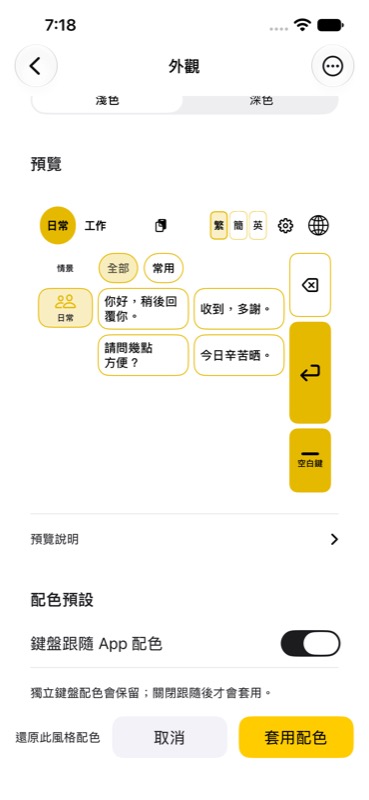
Customers arrive from different social platforms, often asking the same few questions.
You repeat similar messages every day, and still need to get the details right.
Finding a phrase you used before means switching apps and searching old conversations.
The keyboard comes first
Your words stay under your control. Jikfu does not send on your behalf.
Find the context for your reply.
Start with content you have prepared.
Review the message and recipient yourself.
Some apps and secure input fields restrict third-party keyboards or pasting. Jikfu does not guarantee factual accuracy.
Prepared for real conversations
Keep similar replies together. Choose a useful starting point and adjust the details for each conversation.
Examples below are fictional content, not bundled industry templates or customer conversations.
Would tomorrow at 3 pm work for you?
What time would be convenient for you?
Received, thank you. I will confirm the updated arrangement.
Meeting friends, confirming a time or sending a familiar reminder: organize cards for the situations in your own life.
Organize in the app
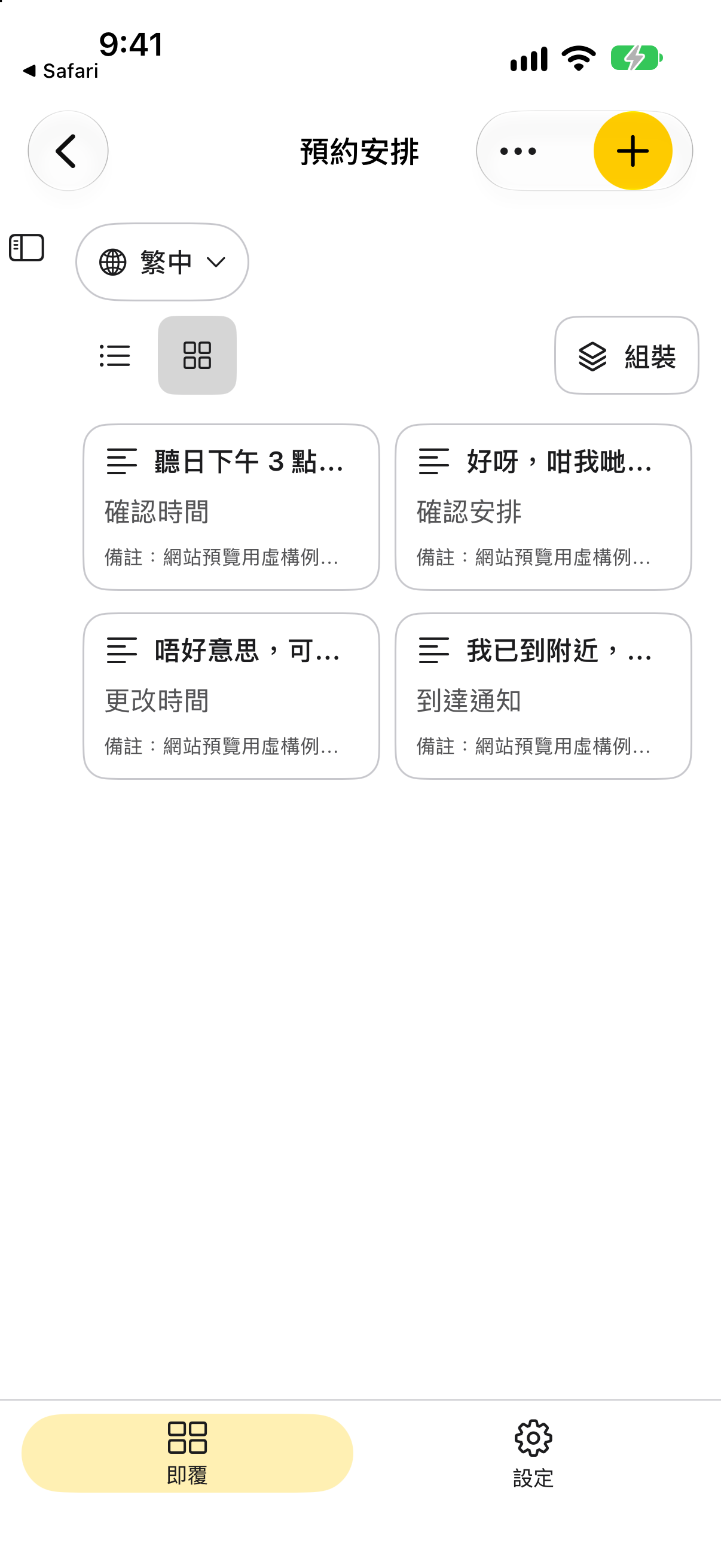
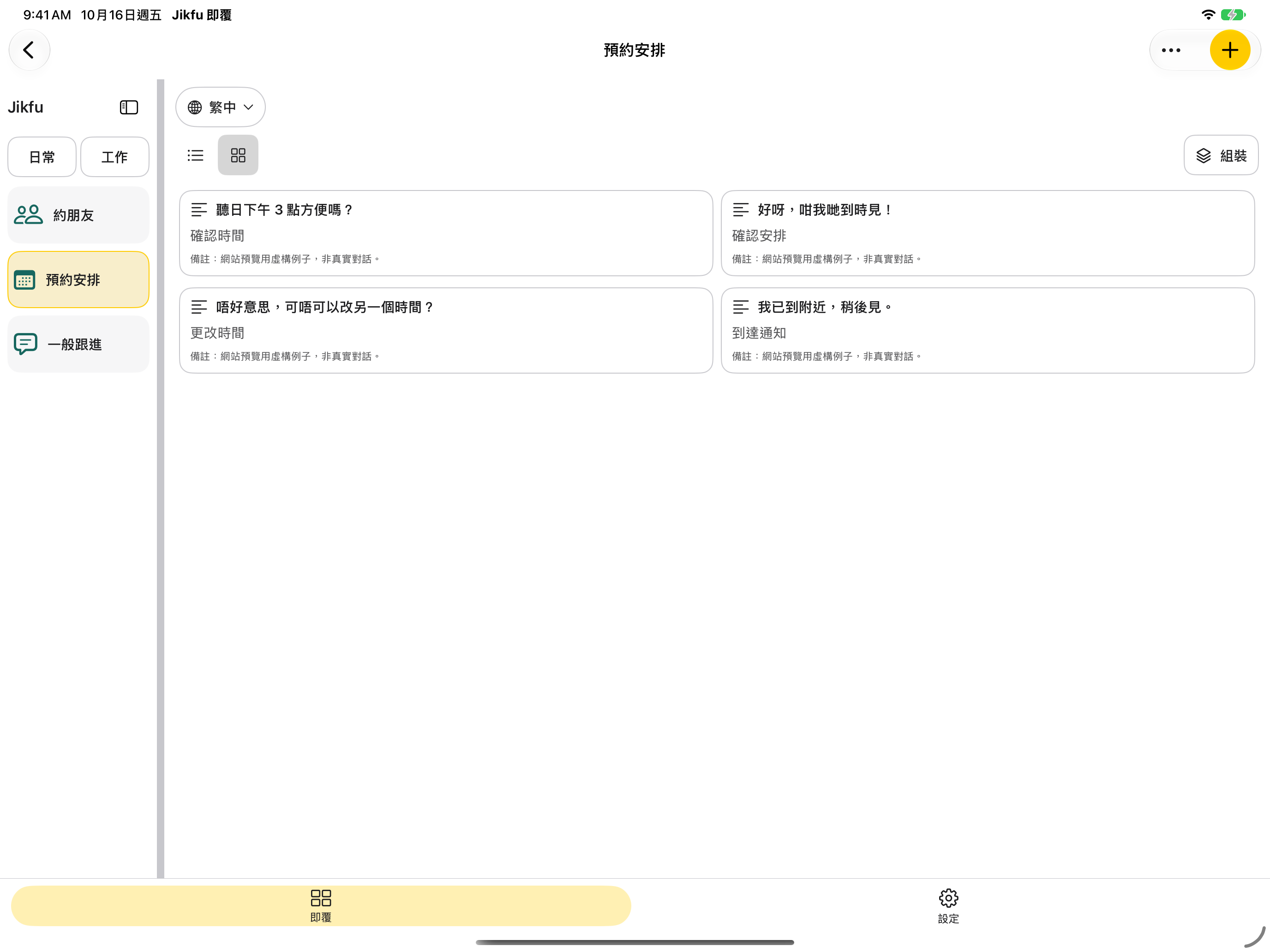
Actual Simulator captures · 16 Oct 2026 · Jikfu 1.1.0 (15). Fictional demonstration content; not customer conversations or bundled templates. These show card management, not a messaging-app keyboard host. Original screen proportions preserved.
Group saved replies around how you work, not a single industry.
Keep wording up to date and prepare content you are comfortable reusing.
Features and layouts depend on the platform and build. This page does not announce a public release or cross-device sync.
You stay in control
Local sharing, file export and cloud sync are different capabilities. See the privacy policy for permissions and data handling.
Read the Jikfu privacy policy →Subscription details will be announced later.
No. Adapt the content, check the recipient, then send it yourself.
Not always. Some apps and secure input fields restrict third-party keyboards or pasting.
No. You create the scenarios and cards around your own work.
No. An exported file is a separate copy. Cross-device sync is not announced by this page.
Product support
Email your device model, operating system, Jikfu version, steps to reproduce and expected result. Use fictional content and redact screenshots.
jikfu-support@googlegroups.comDo not send customer data, private conversations, a full card library, passwords or verification codes. Support is handled personally, with no fixed response time.
This is a personal project in closed beta. There is no public invitation or purchase link on this page. The dated record below is historical, not a live App Store Connect status check.
Updated 12 October 2026. Build 14 has been uploaded to TestFlight and processed by Apple, with status “Ready to Submit”. It has not been assigned to a tester group — this is not an announcement of external testing, App Review approval or a public release.
Still pending: complete backup and isolated-restore validation, the full iPad matrix and real keyboard-host testing (paused). This build adds no Cantonese dictation fix, and this round does not request dictation retesting. A successful upload or a limited preview check does not mean every feature has passed acceptance.